Configuration Files
The HeartView dashboard provides a flexible way to streamline your data pre-processing workflow by using configuration files. These files allow you to save your selected parameters, such as data types, sampling rates, and filtering options, into a reusable format.
Saving Configuration Files
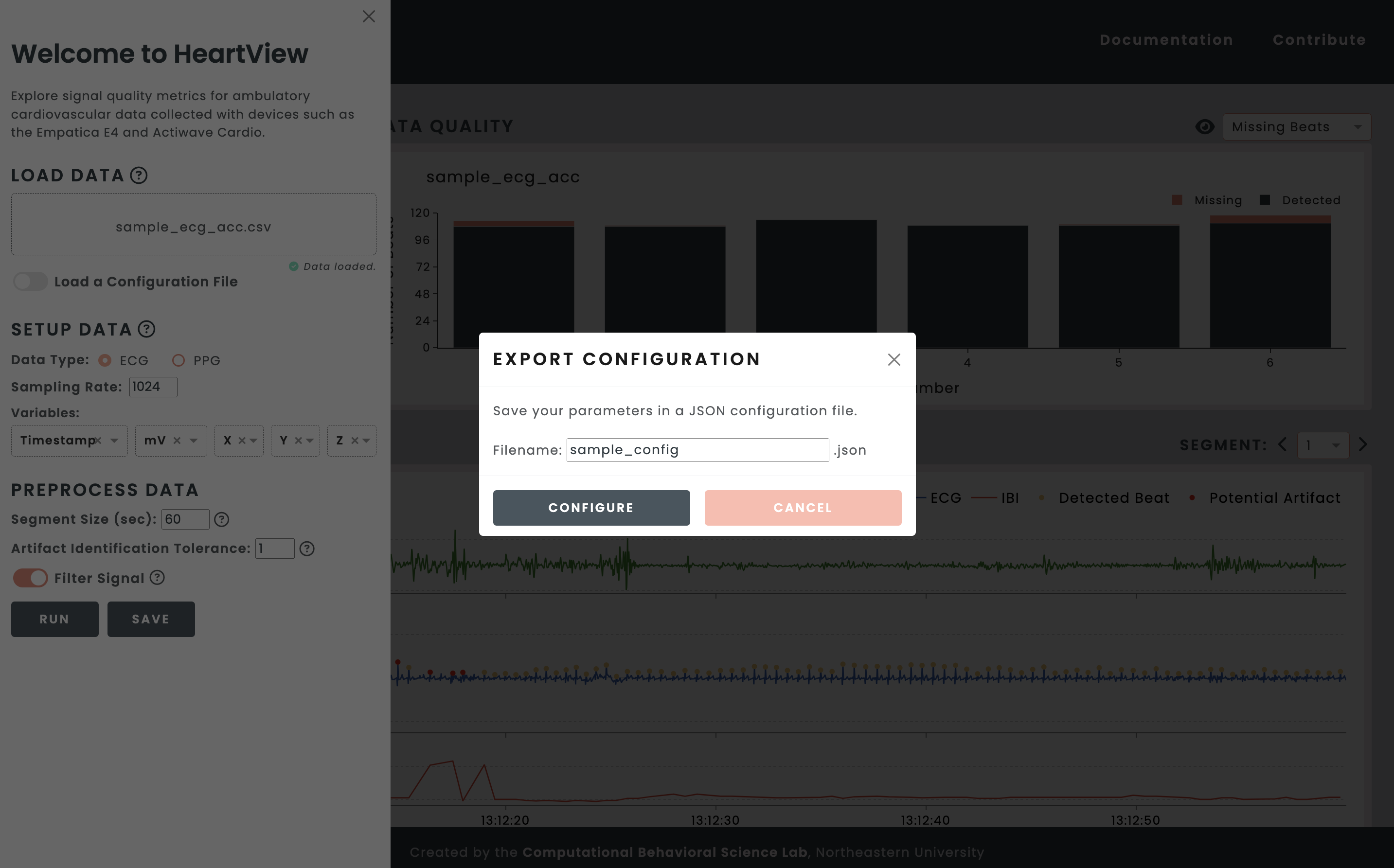
After setting your data pre-processing parameters in the welcome panel, click the Save button to create a JSON configuration file for your parameters.
Loading Configuration Files
Toggle the Load a Configuration File switch to display the configuration file upload field. Click on Select Configuration File… to load your JSON configuration file.
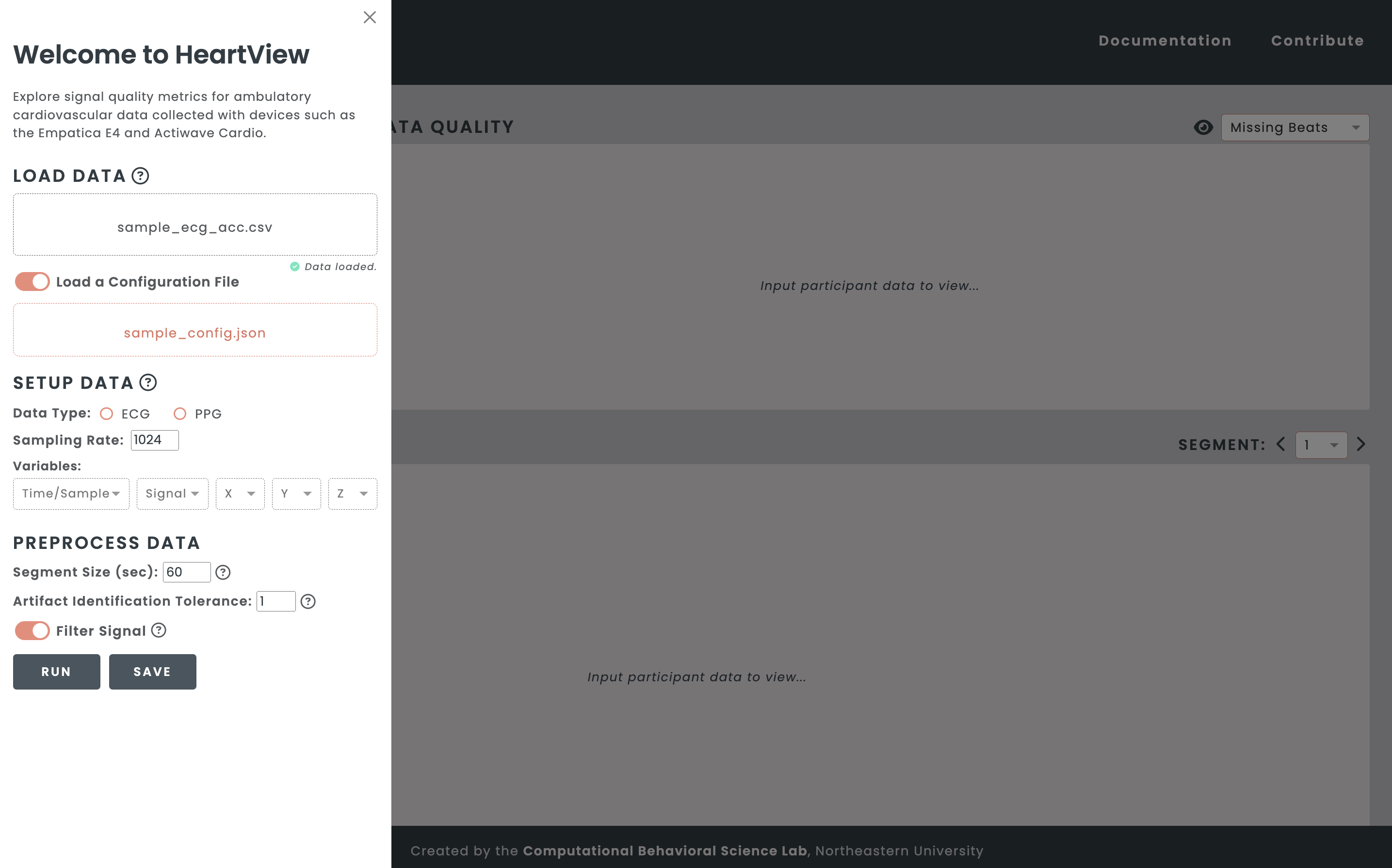
Important: You must re-map any headers saved in your JSON configuration file to the dashboard variables.